Download SamFw FRP Tool v5.1 – One Click FRP Remove (Android 16)

Security Status: SAFE
Scanned by 65+ antivirus engines • No threats detected
Screenshots & Preview
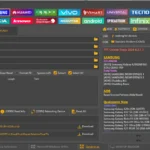
Click on images to view full size (1 images)
Download SamFw Tool 5.1 for free. Now supports Samsung FRP removal for Android 16, reads battery cycle count, and detailed OneUI 8+ battery info.
SamFw Tool 5.1: Update Samsung FRP Android 16 & Battery Info
The team behind SamFw has released a major update, SamFw Tool 5.1. This version brings world-first support for Android 16 FRP Removal and advanced battery diagnostics for devices running OneUI 8+. It remains the best free utility for Samsung, Xiaomi, LG, and MediaTek devices.
SamFw Tool 5.1 File Details
Here are the technical details and download information for the latest version of the tool.
| Attribute | Details |
| File Name: | SamFw_Tool_v5.1_Setup.zip |
| Tool Name: | SamFw FRP Tool |
| Version: | v5.1 (Latest Update) |
| Developer: | Tungtata (SamFw Team) |
| File Size: | Approx. 60 MB |
| Supported OS: | Windows 10, 11 (32-bit & 64-bit) |
| Key Feature: | Remove FRP Android 16, Battery Cycle Count (OneUI 8+) |
| License: | Freeware (100% Free) |
| Download Link: | Download SamFw Tool 5.1 |
New Features in v5.1
This update focuses on future-proofing with Android 16 support and optimizing existing functions for USA models.
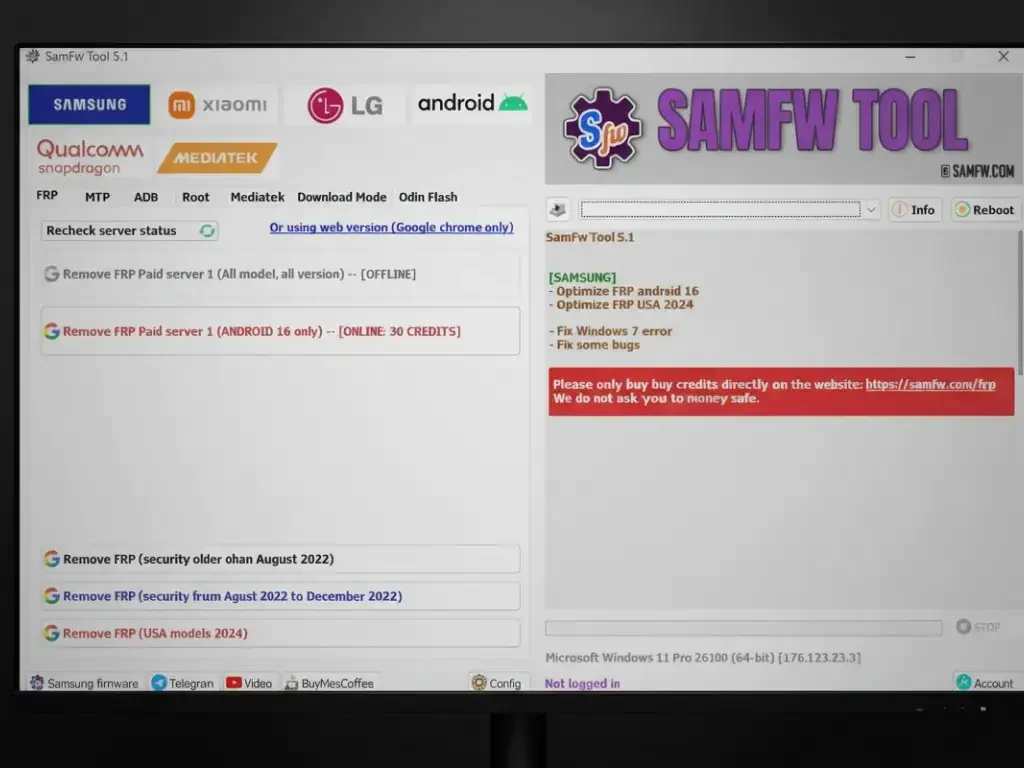
- [SAMSUNG] Optimize FRP Android 16: Enhanced success rate for the latest Android version.
- [SAMSUNG] Optimize FRP USA 2024: Better handling for stubborn USA carrier models.
- [ADB] Battery Info: Added ability to read Battery Cycle Count and Health for OneUI 8+.
- [FIX] Fixed various bugs and Windows 7 compatibility issues.
Key Capabilities
1. One-Click FRP Removal
Remove the Google Account lock instantly using MTP mode (Test Mode *#0*#) or the new Security 2024/2025 exploits. No APKs or paid credits needed.
2. Change CSC (Country Region)
Change your Samsung device’s region code (CSC) with a single click to enable features like Call Recording or Samsung Pay (region dependent).
3. Battery Information (New)
For OneUI 8+ devices, you can now read the Battery Charge Cycle count via ADB. This is essential for checking the health of used devices.
How to Use SamFw Tool 5.1 for FRP
- Download and extract the SamFw Tool 5.1 zip file.
- Run
SamFwTool.exeas Administrator. - Connect your Samsung phone to the PC via USB.
- On the phone, tap Emergency Call and dial
*#0*#to enter Test Mode. - In the tool, click “Remove FRP (Aug 2024 / Android 16)”.
- Accept the USB Debugging prompt on your phone screen when it appears.
- The phone will reboot, and the FRP lock will be removed.
Easy Installation
Simple setup process with clear instructions
Safe & Secure
Scanned and verified free from malware
Fast Download
Multiple mirror servers for fastest download speeds
Minimum Requirements
Recommended
- Latest version with all current features
- Bug fixes and performance improvements
- Security updates and patches
- Compatibility improvements
Rate & Review This Software
User Reviews
No reviews yet. Be the first to review!
About the Author / Developer
📱 Related Apps You May Like





Download Mirror Options
Choose your preferred download server:
How to Install
- Click the Download button above
- Wait for download to complete
- Run the installer file (.exe)
- Follow the installation wizard
- Launch the application
How to Extract (ZIP/RAR)
- Download and install WinRAR or 7-Zip
- Multi-part archives: Download all parts (.part1.rar, .part2.rar) into the same folder
- Right-click on any one part (usually .part1.rar)
- Select "Extract Here" or "Extract to folder"
- Tool will auto-extract all parts




excelent