
KS Tool V4.3 Free Download: Offline Login & Android 16 Support (2025)

Security Status: SAFE
Scanned by 65+ antivirus engines • No threats detected
Screenshots & Preview
Click on images to view full size (1 images)
Download KS Tool V4.3 for free. Supports Android 15 & 16, offline login for Qualcomm/MTK devices. Fix FRP, Mi Account, and IMEI on Xiaomi, Oppo, Vivo & more.
The mobile software repair landscape has just received a massive update with the release of KS Tool V4.3. This powerful utility is now available with a free offline login, making it accessible to technicians and enthusiasts alike. Designed to support the latest Android 15 and 16 architectures, KS Tool V4.3 covers a vast array of Qualcomm and MediaTek (MTK) devices.
Whether you need to remove FRP locks, bypass Mi Accounts, repair IMEI, or fix “System Destroyed” errors, this tool provides a comprehensive solution for major brands including Xiaomi, Redmi, Poco, Vivo, Oppo, Realme, Samsung, and Huawei.
Key Features of KS Tool V4.3
KS Tool is split into specific modules to handle different chipsets and modes efficiently. Here is what you can do with the latest version:
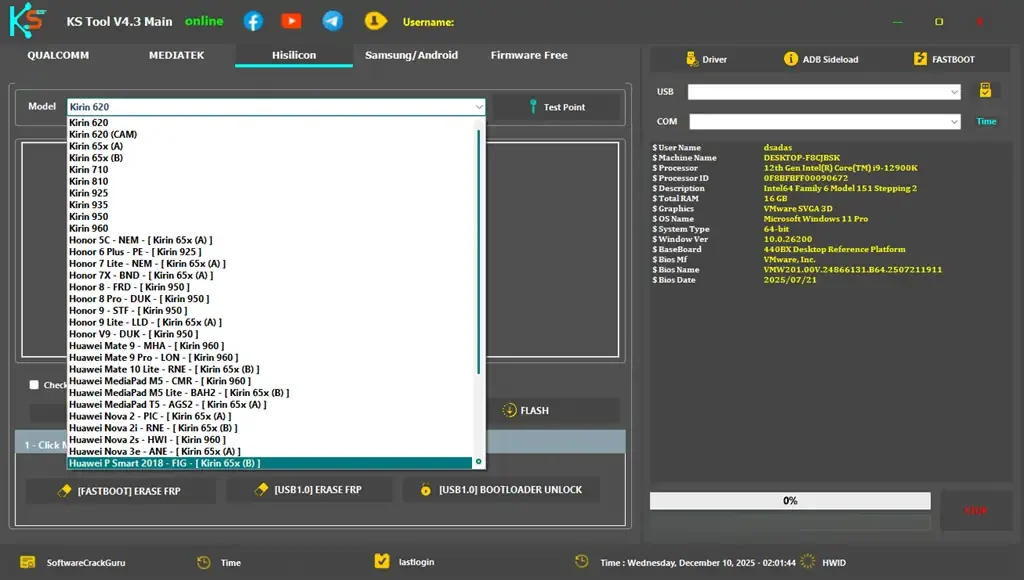
Qualcomm Module
- Erase FRP: Remove Google Lock instantly.
- Factory Reset: Remove Pattern/Pin/Password without data loss on supported models.
- Disable Mi Account: Permanent bypass for MIUI devices.
- Firmware Flashing: Flash stock ROMs via EDL.
- Network Repair: Backup, Restore, and Erase NV data.
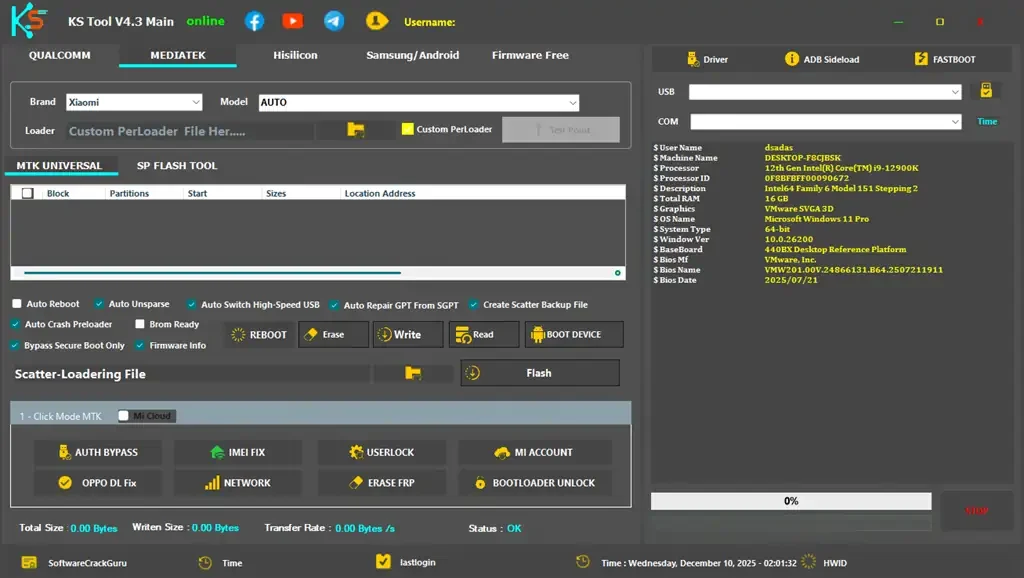
MediaTek (MTK) Module
- Auth Bypass: Flash devices without authorized accounts.
- IMEI Repair: Fix Null or Invalid IMEI issues.
- Bootloader: Unlock and Relock bootloader instantly.
- Oppo Fix: Resolve the “Download Not Complete” error.
- Scatter Flash: Full firmware flashing support.
Samsung & Fastboot Utilities
The tool isn’t limited to EDL or Brom modes. It features robust support for Samsung MTP mode and general Fastboot commands:
- Samsung MTP: Enable ADB for FRP removal, Open YouTube/Maps directly, and Factory Reset.
- Fastboot Mode: Fix “System is Destroyed,” Fix DM-Verity, and Reboot to EDL.
- ADB Operations: Disable OTA updates (prevent relock), Remove FRP, and Enable Diag Mode.
Supported Models List (Highlights)
KS Tool V4.3 supports hundreds of models. Below are some of the popular series supported in this update:
| Brand | Qualcomm Supported Series | MediaTek (MTK) Supported Series |
|---|---|---|
| Xiaomi / Redmi / POCO | Mi 11/12 Series, Note 10/11/12/13 Series, POCO F/X Series, K20/K30/K40 Series | Note 8 Pro, Note 9/10/11/12 Series, POCO C/M Series, Redmi 9/10/12 Series |
| Vivo / iQOO | V Series (V9-V23), Y Series (Y11-Y97), X Series, Z Series | Y Series (All MTK), V Series (V15/V21/V23), S Series, iQOO Z1 |
| Oppo / Realme | A Series, Find X2/X3, Reno Series, Realme 2 to X50 Pro | A1-A95 Series, F-Series (F1s-F11), A5s, A12, A15 |
| Huawei / Honor | Honor X Series, Nova Series, Y Series, P Series | Enjoy Series, Honor 7S-X30i, Y3-Y9A |
| Others | Samsung (A01, A11, A71), OnePlus (1-6T, Nord), Meizu | Samsung A10s, Meizu M Series |
Installation & Login Instructions
To use KS Tool V4.3 completely offline and free, follow these specific installation steps. Make sure to disable your antivirus before extracting the files to prevent false positives.
- Download: Get the zip file from the links provided below.
- Extract: Unzip all files to your
C:drive (This is important for the tool to function correctly). - Install Drivers: Open the extracted folder and run the included Driver Installer to install necessary Qualcomm and MTK drivers with one click.
- Install Setup: Run the setup file and follow the on-screen instructions.
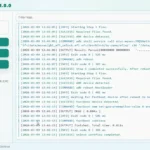
- Run: Launch the shortcut named “KS Tool Online 1.exe” from your desktop.
- Login: Use the free credentials below to log in.
Free Login Credentials:
Username: KS Tool
Password: 12345
Leave other fields blank and click Login.
File Information & Download
| File Name | KS_Tool_V4.3.7z |
| Tool Version | V4.3 (2025 Update) |
| File Size | 914.3 MB (Extracted: ~1.9 GB) |
| Compatibility | Windows 10 / 11 (32 & 64 bit) |
Note: This tool is provided for educational and repair purposes only. Always backup your data before performing flash or reset operations.
Easy Installation
Simple setup process with clear instructions
Safe & Secure
Scanned and verified free from malware
Fast Download
Multiple mirror servers for fastest download speeds
Minimum Requirements
Recommended
- Latest version with all current features
- Bug fixes and performance improvements
- Security updates and patches
- Compatibility improvements
Rate & Review This Software
User Reviews
No reviews yet. Be the first to review!
About the Author / Developer
📱 Related Apps You May Like






Download Mirror Options
Choose your preferred download server:
How to Install
- Click the Download button above
- Wait for download to complete
- Run the installer file (.exe)
- Follow the installation wizard
- Launch the application
How to Extract (ZIP/RAR)
- Download and install WinRAR or 7-Zip
- Multi-part archives: Download all parts (.part1.rar, .part2.rar) into the same folder
- Right-click on any one part (usually .part1.rar)
- Select "Extract Here" or "Extract to folder"
- Tool will auto-extract all parts






goood
allah akbar