MRST MTK V6 Tool V3.3 – Free Download (No Dongle/Login Needed)

Security Status: SAFE
Scanned by 65+ antivirus engines • No threats detected
Screenshots & Preview
Click on images to view full size (1 images)
Unlock MediaTek devices for free. Download MRST MTK V6 Tool V3.3. No dongle or account required. Features include Samsung FRP Reset, Xiaomi Bootloader Unlock, and RPMB Read/Write.
The MRST MTK V6 Tool V3.3 is a powerful, free utility designed for MediaTek (MTK) devices. Released by the official developer, this 2025 update eliminates the need for expensive dongles or paid credits. It provides comprehensive support for modern chipsets (MT6768, MT6833) and major brands like Samsung, Xiaomi, Oppo, and Infinix, making it a “must-have” for software technicians.
Key Features & Functions
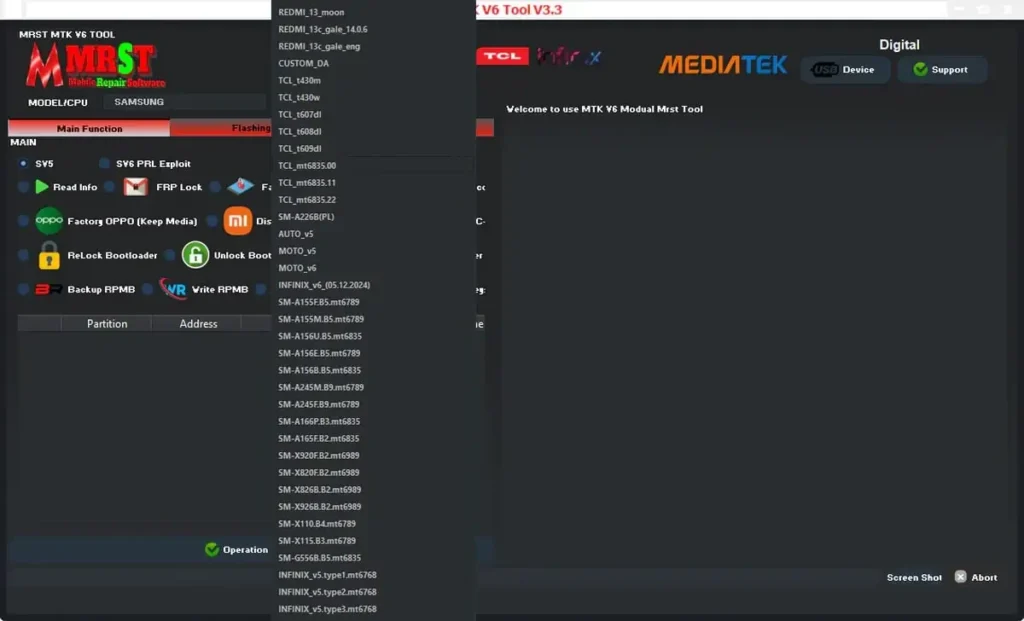
🔹 General Operations
- Read Info: Get full device details.
- S/N Fix: Exploit to repair Serial Numbers.
- Factory Reset: Safe data wipe for Samsung/Xiaomi.
- FRP Erase: One-click Google Account removal.
- Auth Bypass: Oppo/Realme OTP Bypass.
🔹 Advanced & Security
- Xiaomi Special: Disable/Enable Mi Account, Dump Mi Keys.
- Bootloader: Unlock/Relock (Xiaomi & Infinix).
- RPMB Ops: Backup, Write, and Erase Secure Partition.
- Flashing: Read PMT, Dump Firmware, Write Flash, Format.
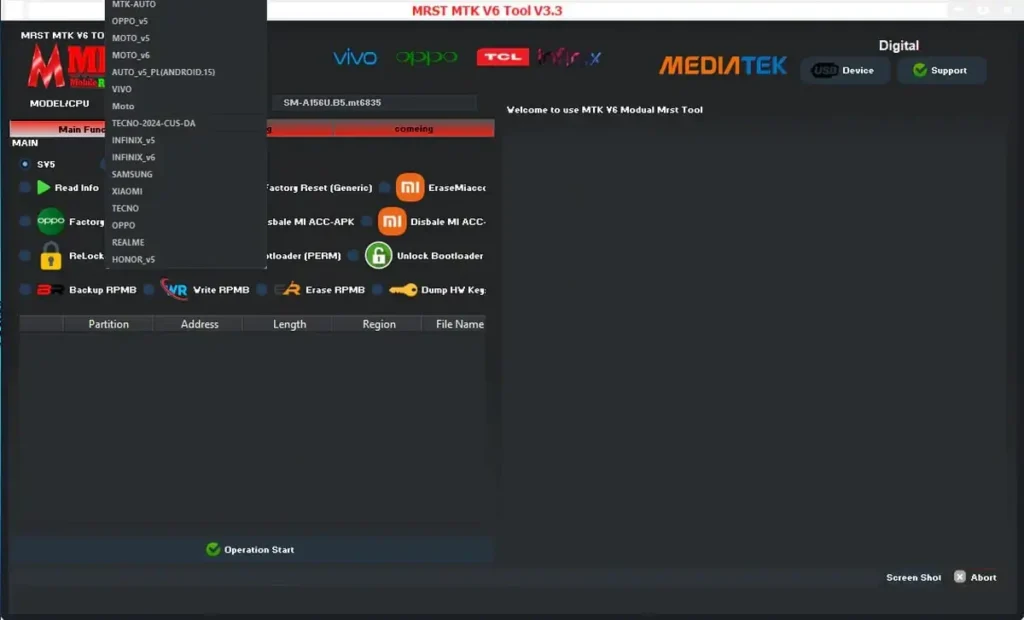
V3.3 Changelog & New Support
This “Biggest Update Yet” brings the tool to Version 3.3 with significant engine upgrades:
- New Samsung Models: SM-A155F/M, SM-A156U/E/B, SM-A245F/M, SM-A165F, SM-G556B, Tab A9+ (X110/X115).
- New Scripts: Added
AUTO_v5_PL(ANDROID.15)for the latest OS versions. - TCL Support: t430m, t430w, t607dl, t608dl (MT6835).
- Xiaomi/Redmi: Added Redmi 13 (moon), Redmi 13C (gale).
- Interface: Brand new modern UI with Dark/Light mode toggle.
File Information
| Tool Name | MRST MTK V6 Tool |
| Version | V3.3 (2025 Update) |
| File Size | ~111 MB (Compressed) |
| Login Cost | Free (No Dongle) |
How to Install & Login
- Download: Get the file from the links below.
- Unzip: Extract the contents to your
C:drive. - Antivirus: Disable Windows Defender/Antivirus before extracting to prevent false positives.
- Run: Open
MRST_MTK_V6.exeas Administrator. - Login: When prompted, enter:
- Username: Any User Name (e.g.,
admin) - Password: Any Password (e.g.,
1234)
- Username: Any User Name (e.g.,
- Drivers: Use the tool’s menu to install necessary MTK/LibUSB drivers if not already present.
- Connect: Connect your device in Brom/EDL mode and start repairing!
🔐 Login Credentials:
Username:Any
Password:Any
Easy Installation
Simple setup process with clear instructions
Safe & Secure
Scanned and verified free from malware
Fast Download
Multiple mirror servers for fastest download speeds
Minimum Requirements
Recommended
- Latest version with all current features
- Bug fixes and performance improvements
- Security updates and patches
- Compatibility improvements
Rate & Review This Software
User Reviews
MRST MTK V6 Tool V3.3
MRST MTK V6 Tool V3.3
MRST MTK V6 Tool V3.3
MRST MTK V6 Tool V3.3 Best Flash and unlock tool
MRST MTK V6 Tool V3.3
Best working tool
this tool
it s work fine thanks TFT wait for update
MRST MTK V6 Tool V3.3
Thanks admin for MRST MTK V6 Tool V3.3 and I really appreciate it.
MRST MTK V6 Tool V3.3 Free Download (No DongleLogin Needed)
another great tool working fine thank you.
MRST MTK V6 Tool V3.3 Free Download (No DongleLogin Needed)
another great tool working fine thank you.
MRST MTK V6 Tool V3.3 Free Download (No DongleLogin Needed
Thanks for make this software is to mach good and smooth work MRST MTK V6 Tool V3.3 Free Download (No DongleLogin Needed)
mrst tool
There are many tools for dealing with phone software I believe the free tools have limited validity
MRST MTK V6 Tool V3.3
Thank you so much for make MRST MTK V6 Tool V3.3 is best
About the Author / Developer
📱 Related Apps You May Like




Download Mirror Options
Choose your preferred download server:
How to Install
- Click the Download button above
- Wait for download to complete
- Run the installer file (.exe)
- Follow the installation wizard
- Launch the application
How to Extract (ZIP/RAR)
- Download and install WinRAR or 7-Zip
- Multi-part archives: Download all parts (.part1.rar, .part2.rar) into the same folder
- Right-click on any one part (usually .part1.rar)
- Select "Extract Here" or "Extract to folder"
- Tool will auto-extract all parts


Thanks
Free GSM Pack Windows v4.4
very good tft unlocker tool mtk divaic
MRST MTK V6 Tool V3.3 not try yet
Software is good working i test with my device thank you
Software is good working thanks
Software is good work and tested i an today test my devices using MRST MTK V6 Tool V3.3 – Free Download (No Dongle/Login Needed
great working tool thanks
nice software
MRST MTK V6 Tool V3.3 not try yet
MTK Best Flashin and unlock tool
Software is good work and tested i an today test my devices using MRST MTK V6 Tool V3.3