Realme 9i (RMX3491) Firehose Loader (Snapdragon 680) – Download

Security Status: SAFE
Scanned by 65+ antivirus engines • No threats detected
Screenshots & Preview

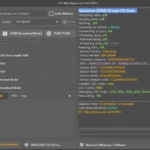
Click on images to view full size (1 images)
Revive your device. Download the official Realme 9i (RMX3491) Firehose Loader. This specialized Snapdragon 680 programmer allows unbricking via EDL mode without authorized account access.
The Realme 9i (4G Model: RMX3491) is powered by the efficient Qualcomm Snapdragon 680 (SM6225) processor. While it is a reliable device, improper flashing, interrupted OTA updates, or trying to root can lead to a “Hard Brick.” In this state, the phone shows no sign of life and is only detected by the PC as Qualcomm HS-USB QDLoader 9008. To fix this, you need the specific Firehose Loader (Programmer) file tailored for the SM6225 platform.
⚠️ Note: This file is for the Realme 9i 4G (RMX3491) only. The Realme 9i 5G uses a MediaTek Dimensity chip and requires a completely different DA file. Do not use this on the 5G version.
File Information & Specs
| File Name | prog_firehose_ddr_sm6225.elf / RMX3491_Loader.elf |
| Device Name | Realme 9i (4G) |
| Model Number | RMX3491 |
| Chipset | Snapdragon 680 (SM6225) |
| File Type | EDL Loader / Firehose Programmer |
| Function | Unbrick, Factory Reset, FRP Remove, Flash Firmware |
| Auth Requirement | Yes (Or Patched Tool) |
| Connection Mode | EDL Mode (9008) |
Supported Tools
Due to the secure boot configuration of modern Realme devices, standard free tools may not support this loader without authentication. We recommend using updated professional service tools:
- UnlockTool (Highly Recommended – has built-in preloader support)
- UMT (Ultimate Multi Tool) – QcFire
- Chimera Tool
- Hydra Tool
- QFIL / MSMDownloadTool (Requires Authorized Account)
How to Use Firehose Loader
- Install Drivers: Ensure the latest Qualcomm HS-USB QDLoader 9008 driver is installed on your PC.
- Open Flashing Tool: Launch your preferred professional tool (e.g., UnlockTool).
- Select Model: Search for “Realme 9i” or “RMX3491”.
- Load Custom Loader: If the tool does not auto-detect the loader, manually select the
prog_firehose_ddr_sm6225.elffile in the “Custom Programmer” field. - Connect Device: Boot your Realme 9i into EDL Mode. (Note: This usually requires shorting Test Points on the motherboard or holding Vol+ and Vol- while plugging in USB if the device is off).
- Execute Repair: Click Flash or Factory Reset to begin the unbricking process.
⚠️ DISCLAIMER:
Flashing the wrong files can permanently destroy the device’s storage (UFS/eMMC). Ensure you are flashing the correct RMX3491 files. Always backup your QCN/EFS partition if possible before wiping the device.
Easy Installation
Simple setup process with clear instructions
Safe & Secure
Scanned and verified free from malware
Fast Download
Multiple mirror servers for fastest download speeds
Minimum Requirements
Recommended
- Latest version with all current features
- Bug fixes and performance improvements
- Security updates and patches
- Compatibility improvements
Rate & Review This Software
User Reviews
No reviews yet. Be the first to review!
About the Author / Developer
📱 Related Apps You May Like


Download Mirror Options
Choose your preferred download server:
How to Install
- Click the Download button above
- Wait for download to complete
- Run the installer file (.exe)
- Follow the installation wizard
- Launch the application
How to Extract (ZIP/RAR)
- Download and install WinRAR or 7-Zip
- Multi-part archives: Download all parts (.part1.rar, .part2.rar) into the same folder
- Right-click on any one part (usually .part1.rar)
- Select "Extract Here" or "Extract to folder"
- Tool will auto-extract all parts