Download TFT MTK Module v6.2.0 Official TFT Unlock Tool

Security Status: SAFE
Scanned by 65+ antivirus engines • No threats detected
Screenshots & Preview
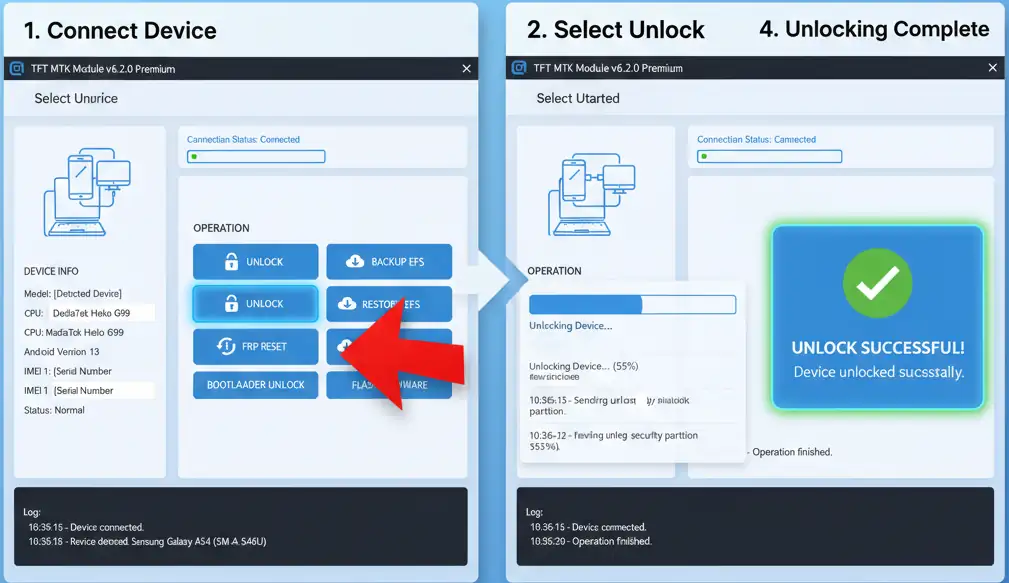
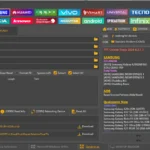
Click on images to view full size (1 images)
| File Name: | TFT MTK Module v6.2.0 Premium |
|---|---|
| Version: | v6.2.0 |
| Status: | 100% Tested |
| File Size: | 170 MB |
| Compatible OS: | Windows 7, 8, 10, 11 (32-bit & 64-bit) |
TFT MTK Module 6.2.0 Premium Official TFT Unlock Tool download with full features: Safe Format, RPMB operations, Samsung support, partition management, and meta mode. Works with all major MTK chipsets and brands. Get started today!
What is TFT MTK Module 6.2.0 Premium?
TFT MTK Module 6.2.0 Premium is a professional mobile servicing tool designed for technicians and repair specialists working with MediaTek-powered devices. This comprehensive software solution enables you to perform advanced operations including FRP reset, bootloader unlock, Mi Account removal, IMEI repair, and firmware flashing across multiple brands such as Xiaomi, Samsung, Oppo, Realme, Infinix, and Tecno.
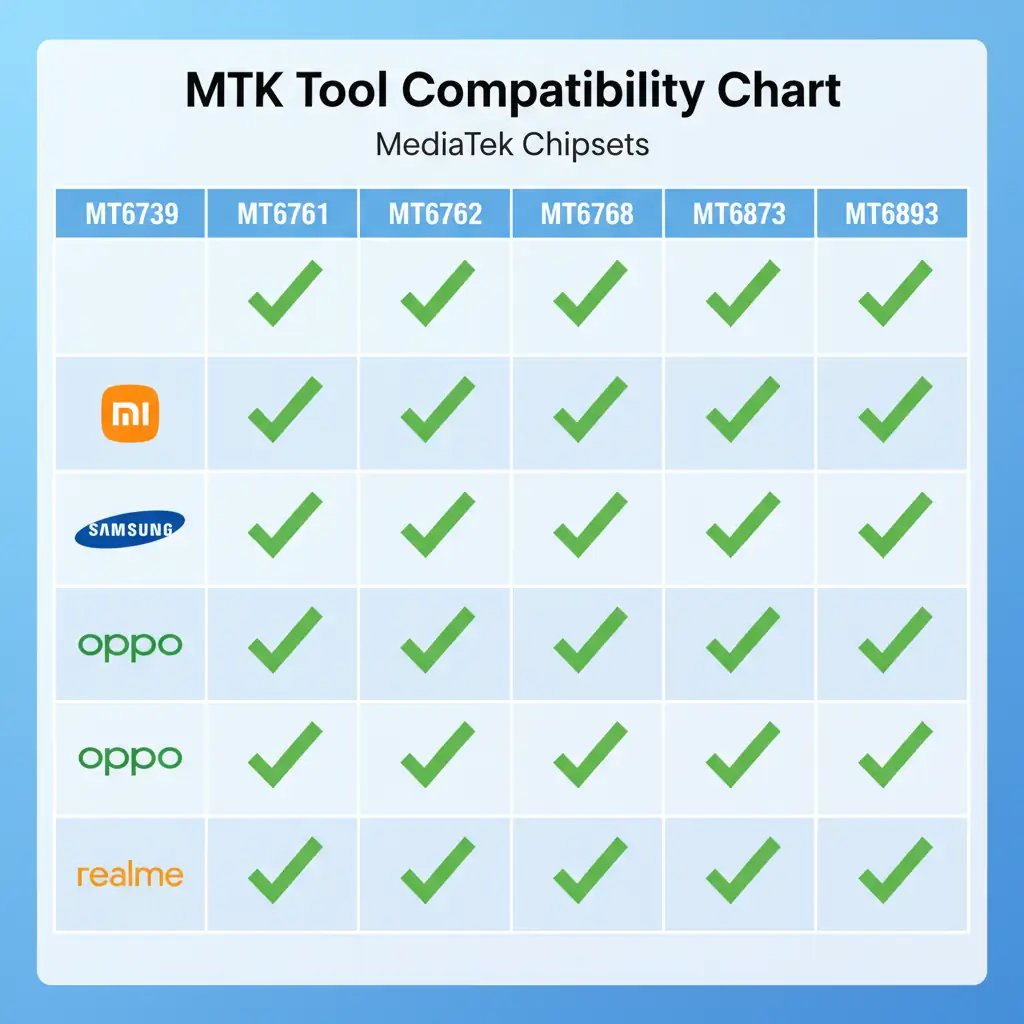
With support for MediaTek chipsets ranging from MT6739 to MT6893, including the latest Dimensity series, this tool has become an essential resource for mobile repair professionals worldwide.
Key Features of TFT MTK Module 6.2.0 Premium
Enhanced Security Operations
The latest version introduces powerful security features that make device servicing safer and more efficient:
- Safe Format Method (Keep Data) – Perform security operations without losing user data
- RPMB Partition Management – Erase and manage RPMB partitions with advanced controls
- Boot Partition Operations – Safely erase and restore boot partitions
- Samsung-Specific Tools – Dedicated functions for Samsung MTK devices including one-click FRP reset for A10s, A03s, A12, A31, A32, and A02 models without test points
Advanced Unlock Operations
TFT MTK Module 6.2.0 Premium offers multiple unlock methods to handle various security scenarios:
Bootloader Unlock & Relock Functions
- Permanent bootloader unlock via BROM mode
- Bootloader relocking for warranty restoration
- Auth bypass for locked devices
- Direct unlock operations in boot mode (no additional tools needed)
FRP and Account Reset Capabilities
- Mi Account Removal – Multiple methods including TWRP and erase options
- FRP Reset – Works via ADB, Fastboot, and MTP modes
- Huawei ID Removal – Remove Huawei account locks efficiently
- Oppo ID Reset – Dedicated function for Oppo account removal
Meta Mode Functions (New in 6.2.0)
A significant addition to this version is comprehensive Meta Mode support:
- Boot to meta mode via payload injection
- Erase metadata and userdata partitions
- Perform factory reset through meta mode
- Advanced diagnostics and testing capabilities
Comprehensive Partition Management
Version 6.2.0 introduces professional-grade partition tools that give you complete control over device storage:
- Backup & Restore EFS – Safely backup and restore EFS partitions
- Selective Partition Operations – Read, format, or erase specific partitions
- NVRAM Management – Backup and restore NVRAM, NVCFG, and NVDATA
- Protected Data Backup – Backup Protect1 and Protect2 partitions
- DM-Verity Error Fix – Resolve corrupted DM-Verity issues
- Partition Config XML Writing – Create custom partition configurations
Supported Devices and Chipsets
MediaTek Chipsets Supported
TFT MTK Module 6.2.0 Premium supports a wide range of MediaTek processors:
Standard MTK Chipsets: MT6739, MT6739W, MT6750, MT6755, MT6761, MT6762, MT6763, MT6765, MT6768, MT6771, MT6779, MT6785, MT6853, MT6873, MT6875, MT6883, MT6885, MT6889, MT6833, MT6877, MT6891Z, MT6893
MediaTek Dimensity Series: Dimensity 1000, Dimensity 1000+, Dimensity 1000C, Dimensity 1000L
Beta Support: MT6757, MT6757T, MT6757CD
Newly Added Device Models in Version 6.2.0
Xiaomi Devices
- Poco M4 Pro
- Redmi Note 11 Pro 4G / Note 11S / Note 12
- Xiaomi Mi 11i / Mi 11X / Mi 11T Pro 5G
- Xiaomi Mi 10 / Mi 10i / Mi 10T / Mi 10T Pro
- Xiaomi Mi A1 / Mi A2 / Mi A3
- Xiaomi Mi Mix Fold
- Xiaomi 12 Lite 5G / Mi 5 / Mi Max
- Redmi Y2 / Y3
- Poco C3 / Redmi 9 Activ
Samsung MTK Devices
- Galaxy A32 5G (SM-A325B)
- Galaxy F42 5G (SM-E426B)
- Galaxy A02 series (SM-A037F/DS/M/G/U)
Realme Models
- Realme 8i (RMX3151)
- Realme 9 Pro 5G (RMX3472)
- Realme Narzo 50A (RMX3430)
- Realme C25s (RMX3195/RMX3197)
- Realme C20A (RMX3063)
Oppo Devices
- Oppo F21 Pro
- Oppo R9
- Oppo Reno8 Pro
- Oppo Reno 2F
- Oppo A1k / A15 / F7 / F9 / F11 / F11 Pro
Infinix Phones
- Infinix Note 11S (X698)
- Infinix Note 11 Pro (X697)
- Infinix S5 Lite (X652B)
- Infinix Hot 10S (X689B)
- Infinix Hot 10T (X689C)
- Infinix Hot 11 (X662/X662B)
Tecno Mobile Devices
- Tecno Camon 17 (CG6)
- Tecno Camon 18 (CH9) / Camon 18P (CH7)
- Tecno Pova 2 (LE7) / Pova Neo
- Tecno Spark 7P (KF7J)
- Tecno Spark 8 Pro (KG8) / Spark 8T (KG6P)
- Tecno Spark Go 2021
- Tecno i7
Other Brands
- Meizu: Pro 6, Pro 7, Pro 7 Plus, M3X, E2 M2E, M10 M1918, X U30
- Huawei MTK: Enjoy 20/20 Plus/20 Pro 5G, Nova 8 SE/7 SE 5G Youth, Enjoy Z 5G, Honor X10 Max 5G, Honor 30 Lite, Honor Play4 5G
- Other Devices: Alcatel, ZTE, Nokia, Lava, Gionee, LG, HTC, BLU, Lenovo, Ulefone, UMiDIGI, Oukitel, Doogee, Neffos
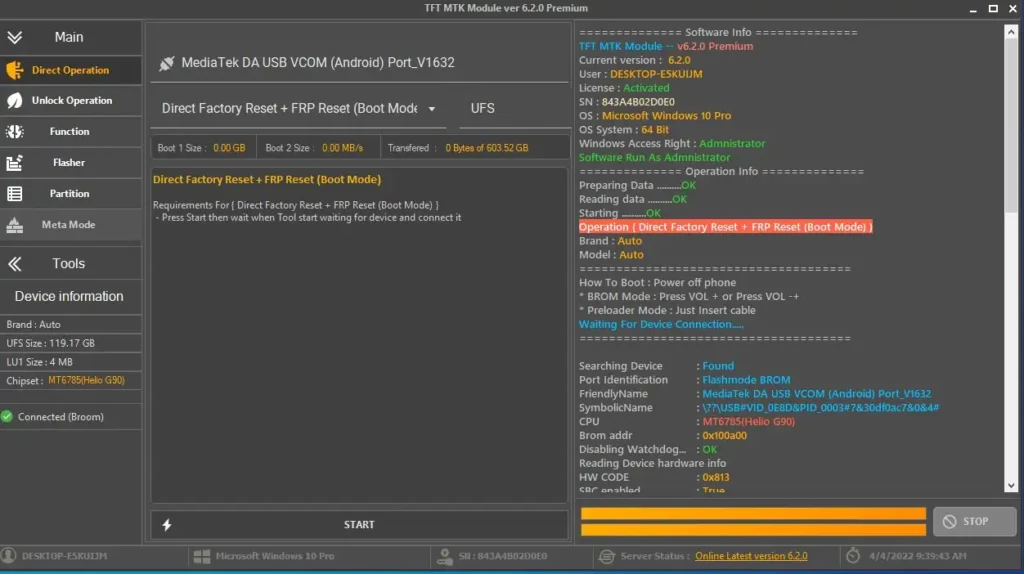
Direct Operation Features
One of the most powerful aspects of TFT MTK Module 6.2.0 Premium is the Direct Operation mode, which allows you to perform critical tasks without complex procedures:
- Direct FRP Reset (Boot Mode) – Reset FRP protection instantly while in boot mode
- Direct Factory Reset + FRP Reset – Combined operation for complete device reset
- Direct Bootloader Unlock/Relock – Toggle bootloader status with one click
- Direct Auth Bypass – Bypass authentication requirements in boot mode
- MTK Universal One-Click – Auto-detect brand and model for instant operations
Backup and Restore Functions
BROM Mode Backup Operations
- NVDATA/NVRAM Backup & Restore – Preserve critical network and calibration data
- Oppo Custom Backup – Brand-specific backup for Oppo devices
- Huawei OEM Backup/Restore – Dedicated functions for Huawei MTK phones
- Read Dump Preloader – Extract preloader for advanced operations
- Boot/Vbmeta Backup & Restore – Save and restore boot and verified boot metadata
- Build.prop Dump – Read device build properties
- RPMB Generation and Display – Generate and view RPMB keys
- Complete BROM Backup – Full backup including Nvram, EFS, Sec_EFS, Nvcfg, Nvdata, Protect1, Protect2
Samsung-Specific Backup Features
- Backup IMEI (Samsung MTK models)
- Restore IMEI (Samsung MTK models)
- Read RPMB data from Samsung devices
Security and Service Functions
ADB Mode Functions
- Read Device Info – Get complete device information via ADB
- FRP Bypass (MTP) – Bypass FRP through MTP protocol
- Reset FRP (Erase Method) – Remove FRP lock by erasing specific data
- Remove Lock Screen – Delete SystemUI to bypass screen locks
- Mi Account Removal (Erase Method) – Remove Xiaomi account via ADB
- Xiaomi Anti-Relock – Prevent automatic relocking on Xiaomi devices
- Unlock Screen Lock – Bypass pattern, PIN, or password locks
- Reset Oppo ID – Remove Oppo account via ADB
- Remove Huawei ID – Delete Huawei account locks
- Factory Reset/Wipe Data – Complete device reset through ADB
- Enable Diag Mode – Activate diagnostic mode (requires root)
- Vivo Service System Exception Fix – Resolve Vivo-specific service errors
- Add Arabic Language – Add Arabic support to various brands
- Enable Mobile Data – Force enable mobile data connection
Fastboot Mode Operations
- Read Device Info (Fastboot) – Extract device information in fastboot mode
- Erase FRP – Remove FRP via fastboot commands
- Reset Micloud – Clear Xiaomi cloud account in fastboot
- Wipe Data/Cache – Clean data and cache partitions
- Disabling Sony Xperia Protect – Remove Sony protection via fastboot
TWRP Mode Functions
- Reset Mi Account (TWRP) – Remove Xiaomi account through TWRP recovery
IMEI Repair and Network Functions
TFT MTK Module 6.2.0 Premium includes comprehensive IMEI repair tools:
- IMEI Repair – Fix corrupted or invalid IMEI numbers
- Generate IMEI – Create valid IMEI numbers
- Restore IMEI – Restore IMEI from backup
- Restore Original IMEI – Return device to factory IMEI
- Fix IMEI Null/Baseband Unknown – Resolve “No IMEI” and baseband issues
- Read NV Data – Extract NV data for IMEI operations
- Reset EFS – Reset EFS partition for network issues
- Realme/Oppo/Vivo Unknown Baseband Fix – Specialized fix for baseband problems (requires IMEI backup)
- Disable Verity (Realme) – Disable dm-verity for Realme devices
WiFi Repair Functions
- Fix WiFi Forget – Resolve WiFi connection memory issues
- Fix WiFi Run – Repair WiFi functionality problems
- Patch Certificate – Fix certificate-related WiFi issues
Brand-Specific Advanced Features
Samsung MTK Operations
- Reset Protection FRP (Samsung)
- Reset KG – Knox Guard (Samsung)
- Reset MDM – Mobile Device Management (Samsung)
- Factory Reset / FRP Reset (Samsung)
- Boot in BROM or crash to BROM mode
- Crash DA to enter BROM mode
- One-click FRP reset for A-series without test point
Xiaomi Specialized Functions
- Remove Mi Account (multiple methods)
- Reset Mi Account / FRP (new method)
- Xiaomi Anti-Relock protection
- Remove password while keeping data (Method 1 & 2)
Huawei MTK Tools
- Remove Huawei ID (improved for MT6853, MT6873)
- Remove password keep data (new method)
- Reset passcode keep data (multiple methods)
- OEM partition backup and restore
Realme, Oppo, Vivo Functions
- Remove Demo Mode (Realme/Oppo/Vivo)
- Fix “DL Not Complete” errors for multiple models
- Oppo custom backup solutions
- Vivo service system exception repair
- Unknown baseband fix (requires IMEI backup)
Bug Fixes in Version 6.2.0
This release includes numerous stability improvements and bug fixes:
- Fixed unlock operation issues in BROM mode (Reset PassCode Keep Data methods)
- Fixed permanent unlock operation stability
- Fixed bootloader relocking and unlocking operations
- Resolved “no connected device” BROM errors
- Fixed BIN Flasher button functionality
- Fixed OFP Extract button operation
- Corrected wrong registers for MT6572, MT6735, MT6768, MT6785, MT8695
- Resolved multiple device-specific issues
- Fixed MTK Universal MT6739 operations
- Updated and corrected device databases
- Added “Boot Info” button to get partition table
System Requirements and Compatibility
To use TFT MTK Module 6.2.0 Premium effectively, ensure your system meets these requirements:
- Windows operating system (Windows 7/8/10/11)
- USB drivers for MediaTek devices installed
- Administrator privileges
- Stable USB connection
- Understanding of mobile repair procedures
Conclusion
TFT MTK Module 6.2.0 Premium represents a significant advancement in mobile servicing tools for MediaTek devices. With expanded device support, new Samsung-specific features, Meta Mode operations, comprehensive partition management, and enhanced security functions, this tool has become indispensable for professional mobile technicians.
Whether you’re performing FRP resets, unlocking bootloaders, removing account locks, or repairing IMEI issues, TFT MTK Module 6.2.0 Premium provides the comprehensive feature set needed for efficient and professional mobile device servicing.
Note: This tool is intended for professional technicians and authorized service centers. Always ensure you have proper authorization before performing any operations on devices. Misuse of these tools may void warranties or violate local laws.
Easy Installation
Simple setup process with clear instructions
Safe & Secure
Scanned and verified free from malware
Fast Download
Multiple mirror servers for fastest download speeds
Minimum Requirements
Recommended
- Latest version with all current features
- Bug fixes and performance improvements
- Security updates and patches
- Compatibility improvements
Rate & Review This Software
User Reviews
TFT MTK Module v6.2.0
TFT MTK Module v6.2.0
Tlcharger le module TFT MTK v6.2.0 Outil officiel de dverrouillage TFT
C039est un logiciel facile utiliser
Download TFT MTK Module v6.2.0
Best tool for android device
Great Software
Love to use it.
TFT MTK Module v6.2.0
Thanks For Make TFT MTK Module
gsm windows pack is very good for mobile flashing
Download TFT MTK Module v6.2.0
Best working tool
this tool
it s work fine thanks TFT wait for update
TFT MTK Module v6.2.0 Official TFT Unlock Tool
This tool works fast and smooth I give it a five star.
TFT MTK Module v6.2.0
TFT MTK Module v6.2.0 working so speed and smooth please give a free
About the Author / Developer
📱 Related Apps You May Like





Download Mirror Options
Choose your preferred download server:
How to Install
- Click the Download button above
- Wait for download to complete
- Run the installer file (.exe)
- Follow the installation wizard
- Launch the application
How to Extract (ZIP/RAR)
- Download and install WinRAR or 7-Zip
- Multi-part archives: Download all parts (.part1.rar, .part2.rar) into the same folder
- Right-click on any one part (usually .part1.rar)
- Select "Extract Here" or "Extract to folder"
- Tool will auto-extract all parts





tft unlock tool is best tool now is still work in 2026
thanks for this gift rmadan mubark
Easy download process and clear information about features. The update looks stable and improved.
This Tool 100% Work for me Download TFT MTK Module v6.2.0
very good
another great working tool thank you
Software is good work and tested i an today test my devices using TFT Huawei Fastboot Tool v1.0.0
Software is good work and tested i an today test my devices using TFT MTK Module v6.2.0 Official TFT Unlock Tool
Create more tools like this brother keep it up
Easy download process and clear information about features. The update looks stable and improved.
Software is good work tft unlocker tool
TFT MTK Module v6.2.0 not try yet but i think its good tool
Thank you tft team
Your Software Good Work Download TFT MTK Module v6.2.0 Official TFT Unlock Tool
Software is good working i test with my device thank you
Aowsome I Have Done 2 Phone Using This Tool
Thanks
Aowsome
I Have Done 2 Phones Using This Tool Thanks
Developer
Love From India
Thanks For Make This Software Is Too Much Good And Smooth Work On Tft Huawei Passbook Tool V1.0.0
it is good program thanks
tft unlock tool is best tool now is still work perfect
working on samsung devices great tool thank you.
Download TFT MTK Module v6.2.0 is very very nice performance
TFT MTK Module v6.2.0 smooth and clear work for mtk cpu
very good software
Cet outil fonctionne à 100% pour moi. Cela fait partie de mes meilleurs logiciels.
thanks for this gift rmadan mubark
TFT MTK Module v6.2.0 smooth and clear work for mtk cpu
Good Tools
Having a nice interface with super working
Thanks for make this software is to mach good and smooth work TFT MTK Module v6.2.0 Official TFT Unlock Tool