Latest 2025 TFT MTP Bypass Tool v5.0: Unlock Samsung Device

Security Status: SAFE
Scanned by 65+ antivirus engines • No threats detected
Screenshots & Preview
Click on images to view full size (1 images)
| File Name: | TFT MTP Bypass Tool v5.0 |
|---|---|
| Version: | v5.0 |
| Status: | 100% Tested |
| File Size: | 25 MB |
| Compatible OS: | Windows 7, 8, 10, 11 (32-bit & 64-bit) |
Discover TFT MTP Bypass Tool v5.0 for Samsung FRP bypass, ADB enable, and more. now to unlock devices easily with the latest 2025 updates and features.
If you’re struggling with a locked Samsung device due to (FRP) or need to enable ADB with a single click, the TFT MTP Bypass Tool v5.0 is here to save the day. This powerful tool, updated with the latest features, offers a seamless way to unlock Samsung devices, perform factory resets, and access hidden settings. In this article, we’ll explore the features of TFT MTP Bypass Tool v5.0, its changelog, and how it can help you manage your Samsung device in 2025.
What is TFT MTP Bypass Tool v5.0?
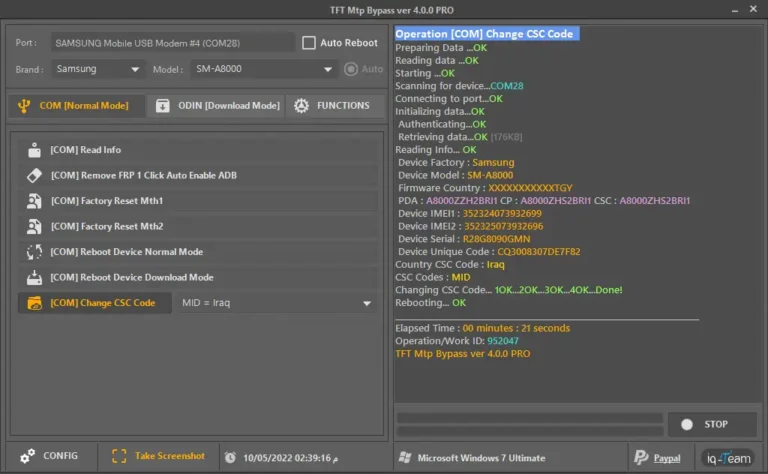
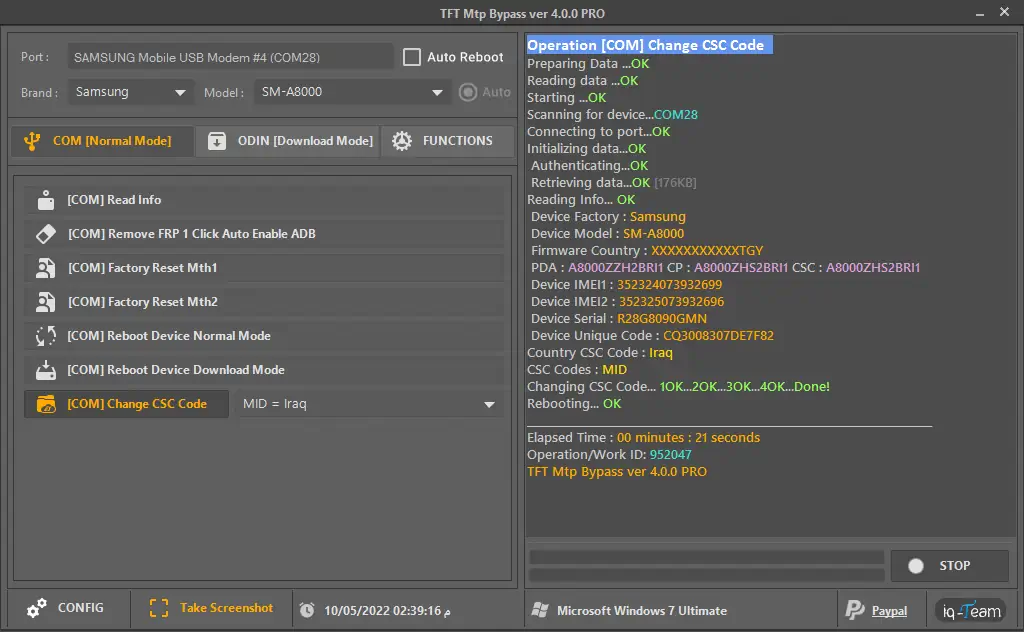
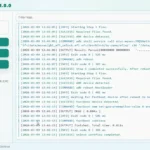
The TFT MTP Bypass Tool is a specialized software designed to bypass (MTP) restrictions and FRP locks on Samsung devices. Version 5.0 PRO, as shown in the screenshot, is the latest iteration, packed with bug fixes and improvements to make device unlocking easier than ever. Whether you’re a technician or a casual user, this tool simplifies complex processes like FRP removal, factory resets, and enabling ADB with just a few clicks.
Key Features of TFT MTP Bypass Tool v5.0
COM [Normal Mode] Functions:
- Read Info: Retrieve detailed information about your Samsung device.
- Remove FRP 1 Click Auto Enable ADB: Bypass FRP and enable ADB in a single click.
- Factory Reset Mth1 & Mth2: Perform a factory reset using two different methods.
- Reboot Device Normal Mode: Restart your device in normal mode after making changes.
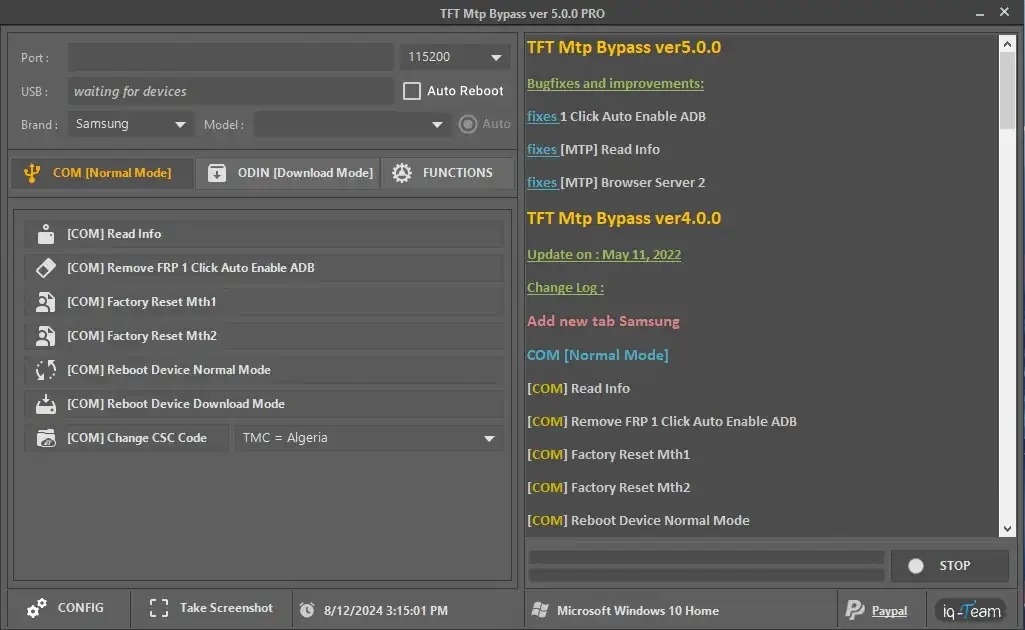
ODIN [Download Mode] Functions:
- Read Info: Access device information in Download Mode.
- Erase FRP Mth1 & Mth2: Remove FRP using two methods.
- Erase Knox: Disable Knox security features.
- Software Fix: Fix software issues on your Samsung device.
- Baseband Repair: Repair baseband-related problems.
- Remove Please Call Me: Eliminate the “Please Call Me” message.
- Write ENG EFS: Write engineering EFS files to your device.
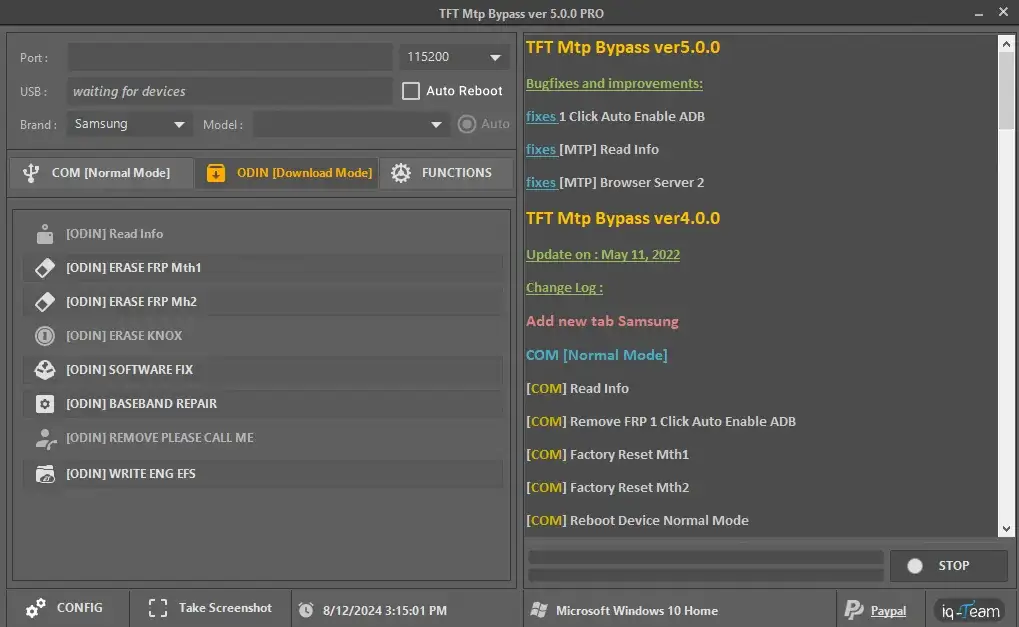
MTP Functions:
- Read Info: View device details via MTP.
- Browser (YouTube): Open YouTube directly on the device.
- Browser Server 1 & 2: Access browser servers for additional functionality.
- Samsung Hidden Settings (Galaxy Store) New 2021: Unlock hidden settings via the Galaxy Store.
- Samsung Bypass FRP with Direct Alliance: Bypass FRP using Direct Alliance.
- Huawei Enable ADB / Remove FRP: Enable ADB or remove FRP on Huawei devices.
- ADB Functions:
- Remove FRP: Bypass FRP locks via ADB.
- Remove Passcode: Delete device passcodes.
- Remove Lock Screen Delete SystemUI: Remove the lock screen by deleting SystemUI.
How to Use TFT MTP Bypass Tool v5.0
Using the TFT MTP Bypass Tool is straightforward. Follow these steps to get started:
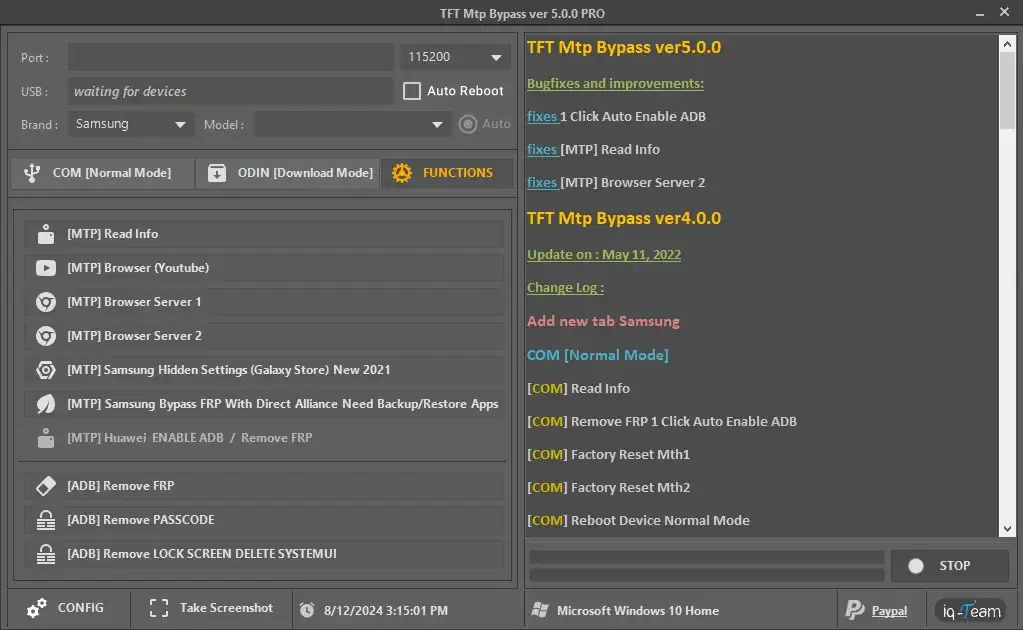
- Download and Install: Download the TFT MTP Bypass Tool v5.0 PRO from a trusted source and install it on your Windows PC (as seen in the screenshot, it runs on Windows 10 Home).
- Connect Your Device: Connect your Samsung device to your PC via USB. The tool will detect the device on the specified port (e.g., Port 115200, as shown in the screenshot).
- Select Mode: Choose between COM (Normal Mode), ODIN (Download Mode), MTP, or ADB functions based on your needs.
- Execute Commands: Click on the desired function, such as “Remove FRP 1 Click Auto Enable ADB” or “Factory Reset Mth1,” and let the tool do the rest.
- Reboot: Once the process is complete, reboot your device in Normal Mode to apply the changes.
Conclusion
The TFT MTP Bypass Tool v5.0 is an essential tool for anyone looking to unlock Samsung devices in 2025. With features like 1-click FRP removal, factory reset options, and browser server fixes, it offers a reliable solution for bypassing restrictions and managing your device. Download the tool today and take control of your Samsung device with ease!
Easy Installation
Simple setup process with clear instructions
Safe & Secure
Scanned and verified free from malware
Fast Download
Multiple mirror servers for fastest download speeds
Minimum Requirements
Recommended
- Latest version with all current features
- Bug fixes and performance improvements
- Security updates and patches
- Compatibility improvements
Rate & Review This Software
User Reviews
this tool
it s work fine thanks TFT tool wait for update
About the Author / Developer
📱 Related Apps You May Like



Download Mirror Options
Choose your preferred download server:
How to Install
- Click the Download button above
- Wait for download to complete
- Run the installer file (.exe)
- Follow the installation wizard
- Launch the application
How to Extract (ZIP/RAR)
- Download and install WinRAR or 7-Zip
- Multi-part archives: Download all parts (.part1.rar, .part2.rar) into the same folder
- Right-click on any one part (usually .part1.rar)
- Select "Extract Here" or "Extract to folder"
- Tool will auto-extract all parts