TFT RAMDISK Tools v1.0.0.0 Beta Latest 2025: Bypass iCloud

Security Status: SAFE
Scanned by 65+ antivirus engines • No threats detected
Screenshots & Preview
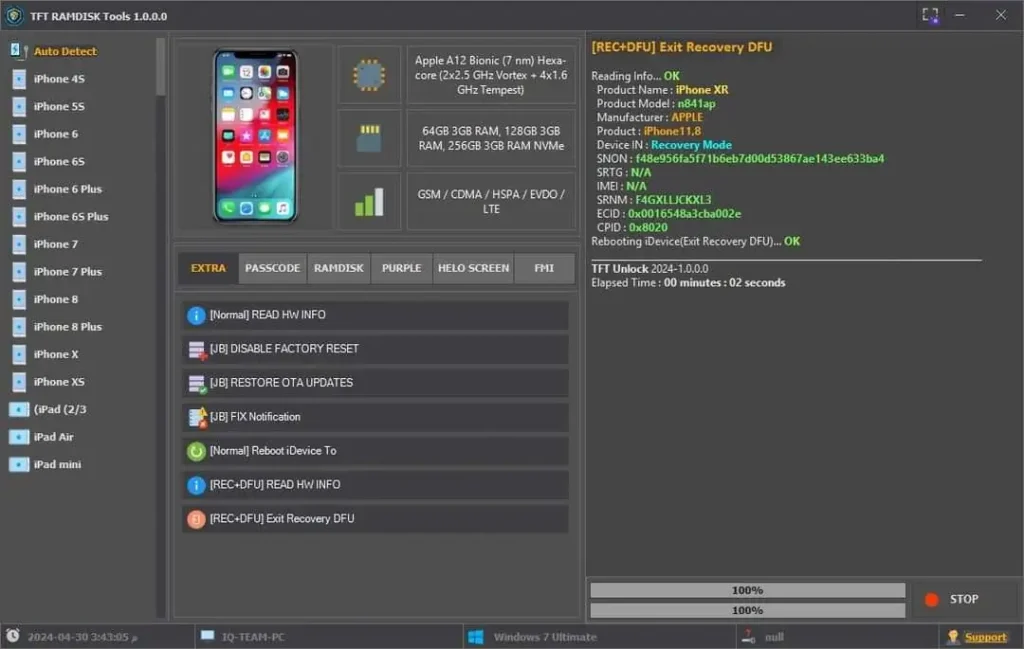
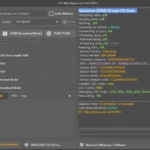
Click on images to view full size (1 images)
| File Name: | TFT RAMDISK Tools v1.0.0.0 Beta Latest 2025: Bypass iCloud |
|---|---|
| Version: | v1.0.0.0 |
| Status: | 100% Tested |
| File Size: | 104 MB |
| Compatible OS: | Windows 7, 8, 10, 11 (32-bit & 64-bit) |
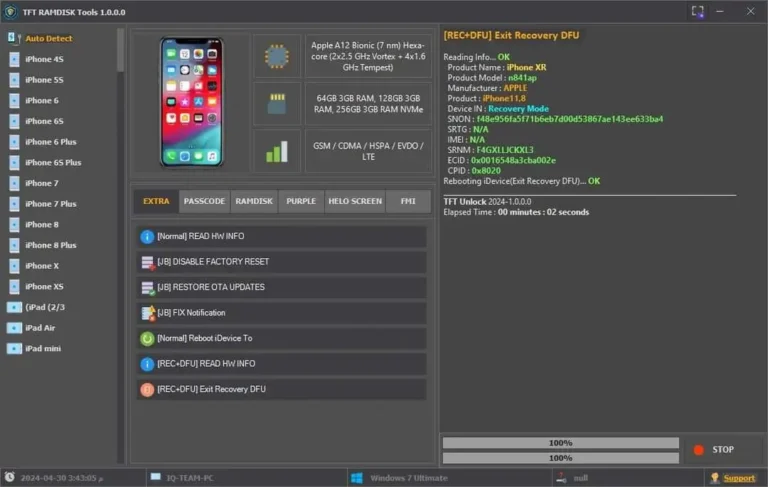
Released in 2025, TFT RAMDISK Tools v1.0.0.0 Beta for iPhone and iPad users looking to manage, bypass, and customize their devices. a jailbreak or someone seeking advanced iDevice control, this latest version of features, from passcode backups to RAMDISK activation and Hello Screen bypasses. In this article, we’ll explore its key functionalities, how it works, and why it’s a must-have tool in 2025.
What is TFT RAMDISK Tools v1.0.0.0 Beta?
TFT RAMDISK Tools is a versatile software designed to simplify iDevice management. The v1.0.0.0 Beta release brings cutting-edge features tailored for 2025, including jailbreak support, iCloud bypass, and hardware infoaccess. It’s perfect for users who want to unlock their device’s potential without limitations.
Key Features of TFT RAMDISK Tools v1.0.0.0 Beta
Normal Mode Features
- Read Info: Quickly access basic device information.
- Reboot iDevice Options: Choose to reboot, shut down, or enter Recovery Mode with ease.
Jailbreak (JB) Features
- Hide Software Update & Erase All Content: Keep your jailbroken device secure by hiding update prompts and erase options.
- Restore OTA Update: Seamlessly restore over-the-air updates.
- Fix Notification: Resolve notification issues on jailbroken devices.
Recovery + DFU Mode
- Read HW Info: Dive deep into your device’s hardware details.
- Exit Recovery/DFU: Safely exit Recovery or DFU mode without hassle.
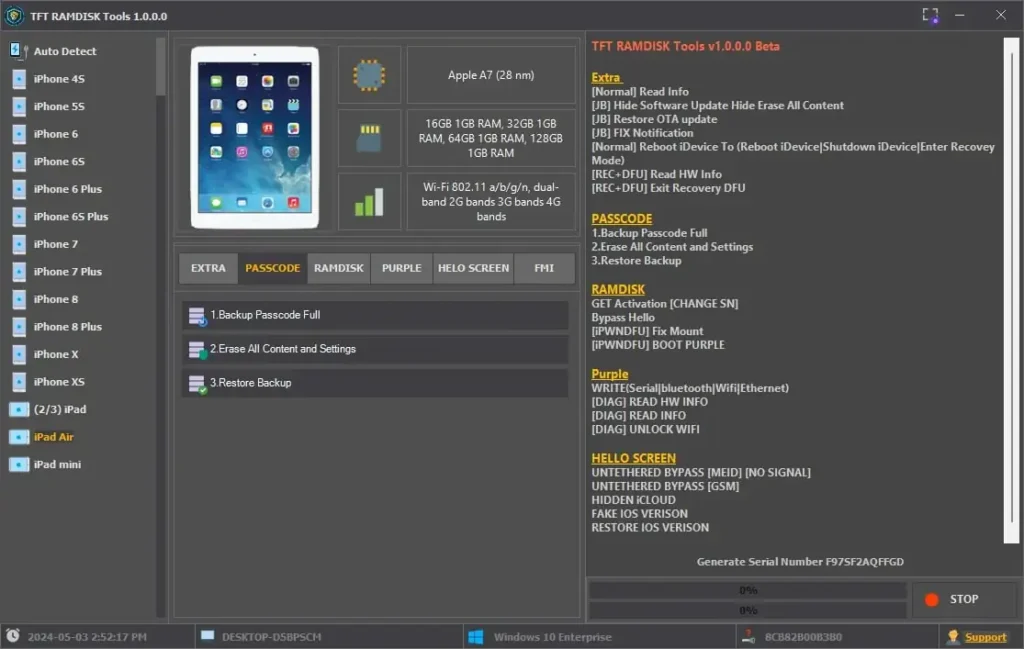
Passcode Management
- Backup Passcode Full: Safeguard your passcode data.
- Erase All Content and Settings: Wipe your device securely.
- Restore Backup: Bring back your data effortlessly.
RAMDISK Features
- Get Activation (Change SN): Modify your device’s serial number for activation.
- Bypass Hello: Skip the Hello Screen effortlessly.
- [iPWNDFU] Fix Mount: Resolve mounting issues in iPWNDFU mode.
- [iPWNDFU] Boot Purple: Boot your device into Purple Mode for advanced tweaks.
Purple Mode Capabilities
- Write Data: Modify Serial, Bluetooth, Wi-Fi, or Ethernet settings.
- [DIAG] Read HW Info: Access detailed hardware diagnostics.
- [DIAG] Read Info: Gather general device info.
- [DIAG] Unlock Wi-Fi: Free your Wi-Fi settings for customization.
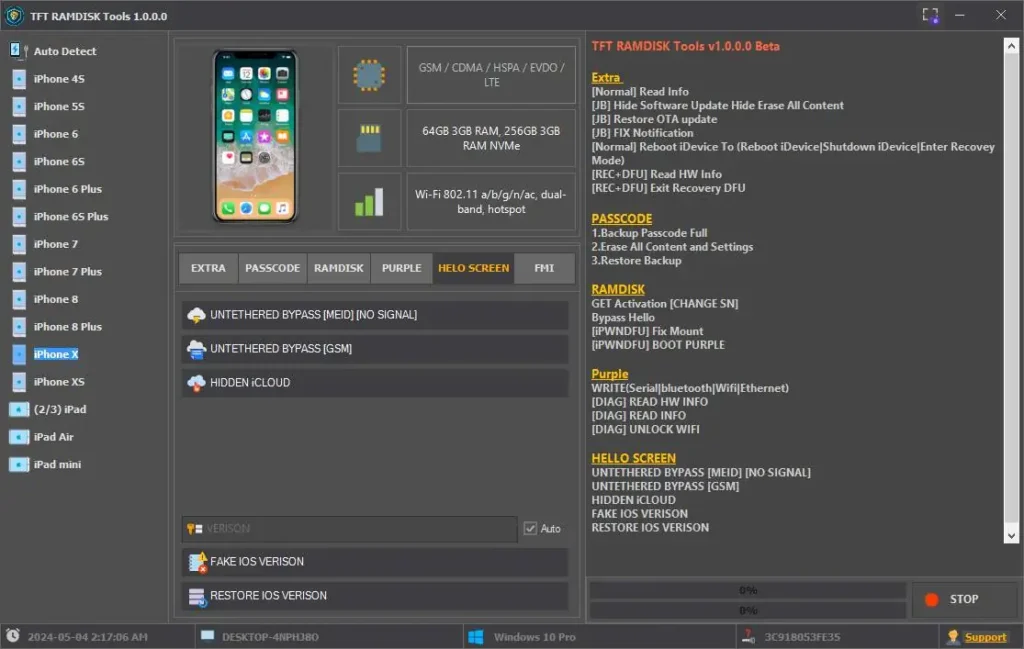
Hello Screen Bypasses
- Untethered Bypass (MEID/No Signal): Bypass iCloud on MEID devices, even without signal.
- Untethered Bypass (GSM): Full bypass for GSM devices.
- Hidden iCloud: Conceal iCloud visibility.
- Fake iOS Version: Trick your device into displaying a custom iOS version.
- Restore iOS Version: Revert to a previous iOS version with ease.
Why Choose TFT RAMDISK Tools v1.0.0.0 Beta in 2025?
This tool stands out for its all-in-one approach. Whether you’re bypassing iCloud, managing passcodes, or tweaking hardware settings, TFT RAMDISK Tools delivers. Its user-friendly design and powerful features make it ideal for both beginners and advanced users. Plus, being a 2025 Beta release, it’s packed with the latest innovations to keep your iDevice ahead of the curve.
How to Get Started
- Get TFT RAMDISK Tools v1.0.0.0 Beta from the official source.
- Install it on your computer and connect your iDevice.
- Explore the features based on your needs—jailbreak, bypass, or diagnostics.
- Follow on-screen instructions for a seamless experience.
Easy Installation
Simple setup process with clear instructions
Safe & Secure
Scanned and verified free from malware
Fast Download
Multiple mirror servers for fastest download speeds
Minimum Requirements
Recommended
- Latest version with all current features
- Bug fixes and performance improvements
- Security updates and patches
- Compatibility improvements
Rate & Review This Software
User Reviews
this tool
it s work fine thanks TFT tool wait for update
About the Author / Developer
📱 Related Apps You May Like



Download Mirror Options
Choose your preferred download server:
How to Install
- Click the Download button above
- Wait for download to complete
- Run the installer file (.exe)
- Follow the installation wizard
- Launch the application
How to Extract (ZIP/RAR)
- Download and install WinRAR or 7-Zip
- Multi-part archives: Download all parts (.part1.rar, .part2.rar) into the same folder
- Right-click on any one part (usually .part1.rar)
- Select "Extract Here" or "Extract to folder"
- Tool will auto-extract all parts