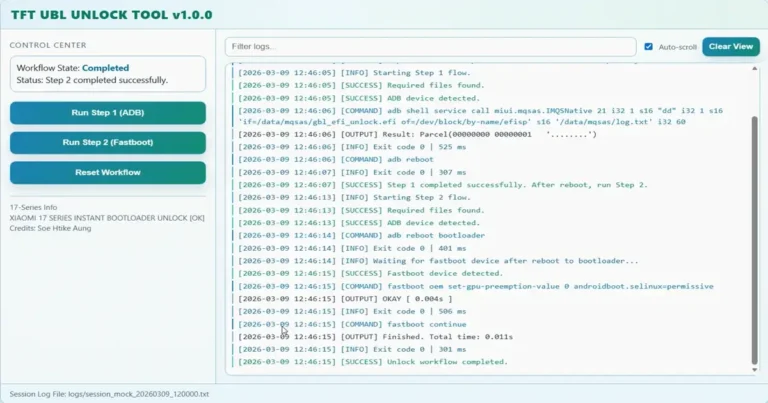
TFT UBL Unlock Tool v1.0.0: Instant Xiaomi 17 Bootloader Unlock

Security Status: SAFE
Scanned by 65+ antivirus engines • No threats detected
Screenshots & Preview
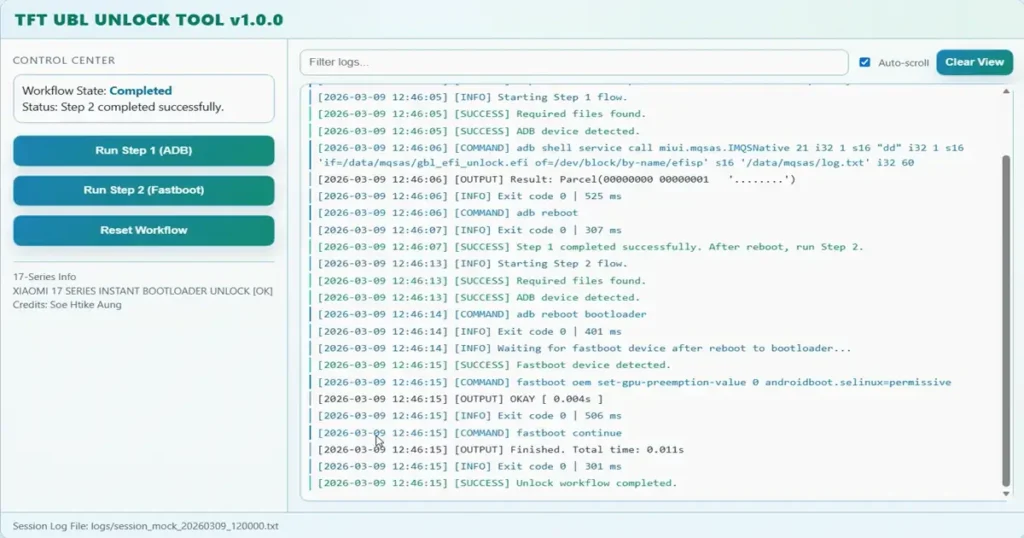
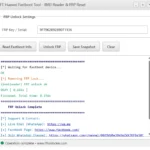
Click on images to view full size (1 images)
Overview of TFT UBL Unlock Tool v1.0.0: Instant Xiaomi 17 Bootloader Unlock
The TFT UBL Unlock Tool v1.0.0 is a dedicated utility built for technicians handling the Xiaomi 17 series. It provides a direct way to manage bootloader states without needing to juggle complicated scripts or manual command-line inputs.
This software utilizes a clean interface to simplify the Xiaomi bootloader unlock process. By leveraging standard Fastboot protocols, it removes the reliance on EDL mode, making it a safer option for daily repair shop workflows.
Efficient Bootloader Management
Technicians often struggle with timing out while manually executing OEM unlock commands. This tool automates the entire sequence, ensuring the Xiaomi 17 device transitions through the necessary ADB and Fastboot states accurately.
By bypassing hardware-level modifications, you reduce the risk of damaging the device’s firmware partitions. The software handles the complex SELinux parameter injection automatically, saving you valuable time during the Xiaomi 17 unlocking process.
Recommended For You
TFT Huawei Fastboot Tool v1.0.0 – IMEI Reader & FRP Reset
MRST MTK V6 Tool V3.3 – Free Download (No Dongle/Login Needed)
Device Compatibility and Workflow
The tool covers the entire latest lineup, including the Xiaomi 17 Pro, Ultra, and Redmi K90 Pro Max. It functions as a wrapper that triggers the native Xiaomi command flow, which is standard for authorized service operations.
Because it generates timestamped logs in the local logs/ folder, you can easily verify if a specific step in the Xiaomi 17 bootloader unlock sequence failed. This transparency is key for diagnosing communication issues between the PC and the handset.
Core Advantages for Technicians
- Fastboot-Only Operation: No need to disassemble the phone to trigger EDL points, which prevents unnecessary wear on internal connectors and housing.
- Region Conversion Support: Seamlessly transition between China and Global firmware builds by modifying bootloader flags via the software interface.
- Integrated Logging System: Every action is recorded with a timestamp, ensuring you have a clear paper trail for every device that enters your shop.
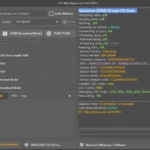
- User-Friendly GUI: The interface provides instant feedback on device status, making it easy to identify if the handset is recognized by the system.
- Safety-First Automation: By using official Xiaomi command structures, the tool performs standard modifications that don’t risk bricking the device or corrupting non-volatile data.
❓ Frequently Asked Questions
Does the TFT UBL Unlock Tool work on Xiaomi 17 devices with locked EDL?
Yes, this tool is specifically designed to bypass the need for EDL mode entirely. It operates exclusively through the Fastboot interface, meaning you do not need an authorized Xiaomi account for EDL flashing.
Can I use this tool to change my Xiaomi 17 from a China ROM to Global?
Absolutely. The tool includes a dedicated region change feature that allows you to shift device flags to support Global firmware after the bootloader is successfully unlocked.
Do I need to install special drivers for the Xiaomi 17 series?
You should have the latest Xiaomi USB drivers and ADB/Fastboot drivers installed on your Windows PC. If your PC detects the device in Fastboot, the tool will handle the rest of the communication.
Is the TFT UBL Unlock Tool v1.0.0 safe for my phone?
It uses official Xiaomi command protocols to modify device parameters. As long as your device is compatible and you have a stable data connection, it is a safe method for technicians.
Does this tool require an internet connection to work?
The tool itself runs locally on your Windows environment. However, an internet connection may be required initially to verify the tool or update its internal data folders.
📥 Installation
- Download the TFT UBL Unlock Tool archive from the link below.
- Extract the files to a folder on your local drive (ensure the folder path has no spaces).
- Install the necessary Xiaomi Fastboot drivers if your PC does not recognize the device.
- Launch the executable as an Administrator to ensure full access to the USB bus.
- Connect your device in Fastboot mode and click the ‘Unlock’ button to begin.
✨ Key Features
This software is packed with specialized functionality tailored for the latest Xiaomi handsets.
- Instant Bootloader Unlock: Bypasses typical waiting times associated with manual unlocking, providing near-instant status changes on supported Xiaomi 17 models.
- Fastboot Command Wrapper: Acts as a professional interface for executing complex shell commands, ensuring that every OEM parameter is set correctly without manual typing errors.
- Detailed Log Output: Provides a real-time terminal-style display of every action performed, auto-saving data to the logs folder for future troubleshooting.
- Runtime Support: Designed to work with minimal external dependencies, only requiring core ADB and Fastboot binaries to maintain full functionality.
- Custom Flag Injection: Allows for advanced users to push specific parameters like SELinux permissive modes, which are necessary for many custom ROMs and rooting procedures.
Minimum Requirements
🖥️ Requirements
| OS | Windows 7, 8, 10, 11 (64-bit recommended) |
| ADB/Fastboot | Platform-tools installed and added to PATH |
| Drivers | Universal Xiaomi Fastboot USB Drivers |
| Storage | Minimum 50MB free space |
📜 What’s New
- v1.0.0 (Initial Release): Full support for Xiaomi 17, 17 Pro, 17 Ultra, and Redmi K90 Pro Max bootloader operations.
- v1.0.0: Added native log file generation in /logs folder.
- v1.0.0: Implemented automatic Fastboot parameter injection for SELinux.
Meta Keywords: TFT UBL Unlock Tool, Xiaomi 17 bootloader unlock, Xiaomi bootloader unlock software, Fastboot unlock tool, Redmi K90 Pro Max unlock, Xiaomi repair tools
Rate & Review This Software
User Reviews
No reviews yet. Be the first to review!
About the Author / Developer
📱 Related Apps You May Like


Download Mirror Options
Choose your preferred download server:
How to Install
- Click the Download button above
- Wait for download to complete
- Run the installer file (.exe)
- Follow the installation wizard
- Launch the application
How to Extract (ZIP/RAR)
- Download and install WinRAR or 7-Zip
- Multi-part archives: Download all parts (.part1.rar, .part2.rar) into the same folder
- Right-click on any one part (usually .part1.rar)
- Select "Extract Here" or "Extract to folder"
- Tool will auto-extract all parts